
iHealth Review 2026: Are Its Health Monitors Accurate & Worth It?
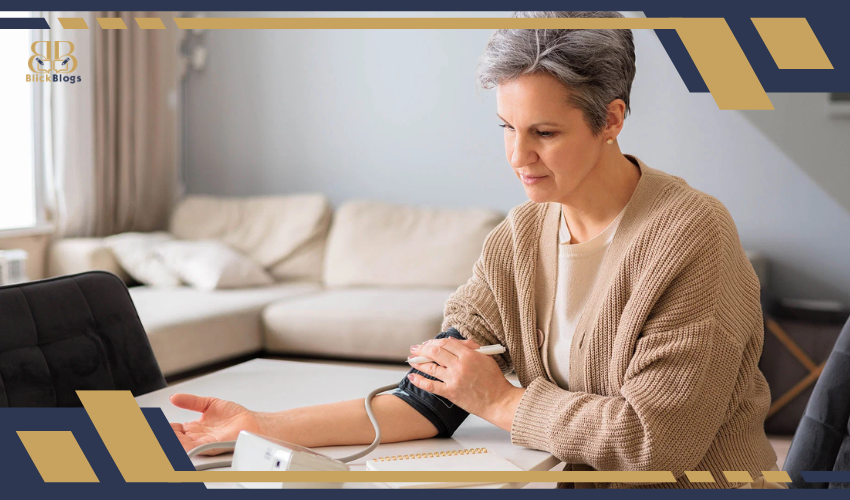
Home health monitoring has moved well beyond keeping a thermometer in the bathroom cabinet. Blood pressure monitors can now sync readings to your phone. Smart scales track trends beyond body weight. Pulse oximeters provide quick SpO2 readings. Apps can organize months of measurements instead of leaving you with a notebook full of numbers. iHealth is one of the companies trying to bring all of those measurements into one ecosystem.
Its current support catalog covers blood pressure monitors, pulse oximeters, thermometers, glucose meters, smart body-composition scales and other health products. Several connected devices work with the iHealth MyVitals app, allowing compatible measurements to be stored and tracked together. That sounds convenient, but health-monitoring devices deserve more scrutiny than ordinary consumer electronics.
Does an iHealth blood pressure monitor make sense for regular home monitoring? Is the iHealth Track a good buy? What does the Nexus Pro actually add? And should you choose iHealth instead of a more established blood-pressure-focused brand?
This iHealth review looks at the ecosystem rather than judging the company from one product alone.
Quick Verdict
| Category | Our Assessment |
| Overall Rating | 8.7/10 |
| Best For | Connected home health monitoring |
| Standout Value | iHealth Track Blood Pressure Monitor |
| Best Upgrade | Track Pro |
| Best for Body Metrics | Nexus Pro |
| Biggest Advantage | Multiple connected health devices in one ecosystem |
| Main Drawback | App connectivity isn't available on every iHealth product |
| Is iHealth Legit? | Yes |
| Would We Recommend It? | Yes, with model-specific considerations |
What Is iHealth?
iHealth Labs develops connected and conventional consumer health-monitoring products. The current lineup spans multiple categories rather than focusing exclusively on one metric. Its support center includes blood pressure monitors, glucose meters, thermometers, pulse oximeters, body-composition scales and connected software. That's important because the company's value proposition is partly about the ecosystem. Buying a blood pressure monitor from one company, scale from another and glucose meter from a third can leave you with several unrelated apps.
iHealth attempts to centralize compatible measurements. Its Cloud platform can store and organize data collected through compatible iHealth devices and apps, including blood pressure, glucose, body composition and other measurements. iHealth says historical information can be viewed as trends and shared with family members, caregivers or healthcare professionals. For someone tracking one measurement occasionally, that may be unnecessary. For someone who regularly tracks several health metrics, it's much more useful.
Is iHealth Legit?
Yes. iHealth is a legitimate health-device company with multiple products documented in the FDA's medical-device database. For example, the iHealth Track Blood Pressure Monitor appears under FDA 510(k) K160014, where the device received a substantially-equivalent determination. The iHealth Fingertip Pulse Oximeter also has an FDA 510(k) record under K131111. More recently, the FDA database lists Track Pro among a group of non-invasive blood pressure monitors under K251113, which received its decision in August 2025.
One terminology point matters here. An FDA 510(k) substantially-equivalent determination is not the same thing as saying every iHealth product is "FDA approved." When evaluating an individual device, check that specific model and its regulatory status rather than applying one broad label to the entire brand.
iHealth Key Features
One Connected Health Ecosystem
The strongest reason to choose iHealth over a random inexpensive monitor is connectivity. MyVitals currently supports several iHealth blood pressure monitors, including Track, Track Pro, Push, Neo, Ease and Accu Luminate. It also supports the Nexus and Nexus Pro scales. That creates a useful long-term record. A single blood pressure reading tells you what happened at one moment. A properly collected series of readings is much more useful for observing trends. The same idea applies to weight. This doesn't mean an app interprets your health for you. It means the measurements are easier to organize and review.
Readings Without Requiring a Phone
A connected monitor shouldn't become useless when your phone isn't nearby. That's one of the reasons we like the Track. The standard iHealth Track stores 99 measurements on the device, so basic monitoring doesn't depend on opening the app every time. This hybrid approach works well for households where one person likes smartphone tracking and another simply wants to press a button and see a number.
Accessible Visual Feedback
iHealth's monitors are generally designed around simple displays rather than burying readings inside an app. That's particularly important for older users. A health device that technically offers dozens of features but makes the core measurement difficult to obtain isn't well designed. iHealth largely avoids that trap. The smart features are an extension of the basic measurement experience rather than a complete replacement for it.
iHealth Track Blood Pressure Monitor Review
If you're researching iHealth blood pressure monitor reviews, Track is the model we'd examine first. It hits the useful middle ground between a basic home monitor and an unnecessarily elaborate connected device. The Track, model KN-550BT, is a fully automatic upper-arm blood pressure monitor that uses the oscillometric method to measure systolic pressure, diastolic pressure and pulse.
Its published specifications include:
- Memory: 99 measurements
- Connectivity: Bluetooth 5.2
- Power: Four AAA batteries
- Pressure accuracy: ±3 mmHg
- Pulse accuracy: ±5%
- Standard cuff: 22–42 cm / 8.6–16.5 inches
- Optional XL range: 42–48 cm / 16.5–18.9 inches
- Battery life: Approximately 300 measurements.
That is a sensible specification set for home use.
iHealth Track Setup
Setup can be as straightforward as inserting the batteries, positioning the cuff and taking a reading. Connecting MyVitals adds the digital layer. The app is useful if you want historical trends or easier record keeping, but the monitor itself still performs the core measurement. That distinction matters. We prefer connected health devices that remain useful without forcing the owner to reach for a smartphone every morning.
Cuff Fit
Cuff sizing deserves more attention than it usually gets in consumer reviews. An inappropriate cuff can undermine the usefulness of your measurements. The Track's standard cuff accommodates approximately 22–42 cm arms, while its documented XL cuff extends the upper range to 48 cm. Measure your arm before buying rather than assuming "standard" will fit.
Is iHealth Track Accurate?
iHealth's published Track specifications state ±3 mmHg pressure accuracy and ±5% pulse-rate accuracy under specified operating conditions. The model also has an FDA 510(k) record as a non-invasive blood-pressure measurement system. Those are much more meaningful pieces of evidence than simply saying reviewers online found the numbers "accurate." However, technique still matters. A capable monitor can produce misleading results if the cuff is positioned incorrectly, you're talking during the measurement, you've just exercised, or your arm isn't appropriately supported. Home monitoring is a combination of device quality and measurement technique.
Check Today's Price
iHealth Track Pro Review
Track Pro is the natural step up from Track. The current Track Pro, model KN-550LT, is intended for home or professional use and automatically measures systolic pressure, diastolic pressure and pulse using an upper-arm cuff. The current package includes the monitor, adjustable cuff, three AA batteries, USB-C power cable and manual. Its standard included cuff is specified for approximately 22–42 cm / 8.7–16.5 inches.
MyVitals is optional rather than required for basic operation. That's exactly how we want a connected health monitor designed. You can use the additional technology when it's valuable without turning a simple blood pressure check into an app-dependent process.
Track vs Track Pro
For budget-focused buyers who primarily want dependable home readings with optional Bluetooth tracking, Track remains a compelling choice. Track Pro makes more sense if its updated interface, power options and current-generation features justify the premium for your household.
iHealth Pulse Oximeter Review
Pulse oximeters estimate blood oxygen saturation (SpO2) and pulse rate using a fingertip sensor. iHealth has offered multiple products in this category, and its support center currently maintains documentation for PO3 and PO1 models. The FDA database also contains a 510(k) record for the iHealth Fingertip Pulse Oximeter, K131111. A pulse oximeter is appealing because it's fast and non-invasive. But it's also a category where buyers should avoid overinterpreting one number.
Consumer pulse-ox readings can be influenced by movement, circulation, positioning and other factors. If a reading conflicts with how you feel or you're concerned about symptoms, a home device shouldn't be used to rule out a medical problem. For ordinary home monitoring where a clinician has recommended tracking SpO2, iHealth's simple approach is attractive.
iHealth Thermometer Review
iHealth's thermometer range includes contact and non-contact models. The brand's support center currently lists models including PT1, PT2L, PT3, PT3SBT, PT5 and PT9 variants. The appeal of models such as the non-contact thermometers is obvious: quick temperature measurements without conventional oral contact. They're particularly convenient in households with children. But here's an important ecosystem limitation:
iHealth says the PT1, PT3 and PT2L do not pair with MyVitals. Its infrared ear thermometer is also listed as incompatible. So don't assume buying an iHealth-branded thermometer automatically adds temperature data to the same connected dashboard as Track and Nexus Pro. That's one area where the ecosystem is less unified than the branding might suggest.
iHealth Nexus Pro Review
Nexus Pro is a different proposition. Instead of measuring blood pressure or temperature, it's a connected body-composition scale. iHealth identifies the current model as Nexus Pro (HS2S Pro) and lists it among its smart body-composition scales. It is also compatible with MyVitals. That's where the ecosystem becomes more interesting. Someone using Track for blood pressure and Nexus Pro for body measurements can keep compatible information within the same app rather than juggling unrelated platforms.
How Useful Are Smart-Scale Metrics?
Weight itself is straightforward. Body-composition estimates require more context. Consumer smart scales typically derive composition estimates using bioelectrical impedance and algorithms. Hydration status, meals, exercise and other variables can influence those estimates. We'd therefore use Nexus Pro's additional metrics primarily for consistent trend tracking, not as substitutes for clinical body-composition testing. If your estimated body-fat percentage moves gradually over months under similar measurement conditions, the trend may be useful. Obsessing over tiny daily changes isn't.
First Impressions & User Experience
iHealth's industrial design generally prioritizes accessibility over showing off. That's appropriate. A blood pressure monitor should look like something you can confidently operate half-awake in the morning. Track is a good example. You attach the cuff, start the measurement and get the result directly from the monitor. Bluetooth and MyVitals are there if you want them. The same principle runs through much of the ecosystem. iHealth is at its best when it takes a routine measurement and quietly adds better record keeping. It becomes less compelling when you don't need that digital layer.
Performance in Everyday Home Monitoring
The biggest advantage of connected health devices isn't the first reading. It's the hundredth. Suppose you're monitoring blood pressure regularly. Writing every reading manually becomes tedious. People skip entries, forget dates or record only the numbers that stand out. Automatic synchronization reduces that friction. iHealth Cloud can preserve compatible measurements, display historical trends and make records easier to access across devices.
That can be particularly useful when preparing information to discuss with a healthcare professional. But the app should complement proper measurement habits rather than create false confidence. Ten badly collected readings stored perfectly in the cloud are still ten badly collected readings.
Pricing & Value Analysis
iHealth generally competes in the accessible-to-midrange home health category rather than ultra-premium medical equipment. Prices and promotions move, so they should always be checked at purchase time. As one current reference point, iHealth's Buy with Prime collection showed the Track Blood Pressure Monitor at $49.99, the Air Pulse Oximeter at $39.99, and a Nexus Wireless Body Composition Scale at $49.99 when checked.
That pricing explains much of the brand's appeal. Track gives buyers Bluetooth connectivity, onboard memory and an established regulatory record without pushing the price into premium territory.
Where the Value Is Strongest
The Track is the standout value in the lineup for most households. A more advanced blood pressure monitor only makes sense if its extra features solve a problem you actually have. Likewise, Nexus Pro becomes valuable when you're genuinely going to use its additional trend data. Buying smart features you never open after the first week is not value.
Explore BRAND Collections
iHealth Pros & Cons
| Pros | Cons |
| Broad home-health ecosystem | Not every product connects to MyVitals |
| Strong value from Track | App adds complexity for some users |
| Bluetooth tracking on compatible products | Requires correct measurement technique |
| On-device memory on Track | Different cuff sizes require attention |
| Multiple FDA device records | Smart-scale composition metrics are estimates |
| MyVitals trend tracking | Connected features may be unnecessary for casual users |
| BP, SpO2, weight, glucose and temperature categories | Model names can be confusing |
| Useful combination of device + app | Phone syncing isn't a reason to ignore clinical advice |
Who Should Buy iHealth?
iHealth makes the most sense for someone who wants home measurements to become part of a consistent tracking routine. A person checking blood pressure regularly is a particularly strong candidate. Track's onboard memory means it works independently, while MyVitals gives you the option of building a longer digital history. It's also attractive for households buying multiple types of monitors.
| Buyer | Recommendation |
| Regular home BP monitoring | Excellent fit |
| Wants Bluetooth BP tracking | Excellent fit |
| Wants affordable connected devices | Very good |
| Tracking multiple health metrics | Very good |
| Wants smart-scale trends | Very good |
| Needs only occasional basic BP checks | Good, but simpler alternatives exist |
| Dislikes smartphone apps | Track can still work, but smart ecosystem matters less |
| Needs clinical diagnosis | Not a substitute for medical evaluation |
Who Should Avoid iHealth?
Don't choose iHealth simply because a product has Bluetooth. Connectivity doesn't automatically make a monitor better. If you want the simplest possible blood pressure monitor for occasional measurements, a conventional validated upper-arm monitor may be all you need. Likewise, someone who finds smartphone apps frustrating may not receive enough value from the ecosystem to justify choosing it over a simpler competitor.
You should also avoid assuming a consumer device can diagnose a condition. A blood pressure monitor provides measurements. A pulse oximeter estimates SpO2. A thermometer measures temperature. Interpreting abnormal or concerning results especially alongside symptoms is a different matter.
Customer Feedback Summary
For this review, we don't want to manufacture a customer consensus from scattered comments or pretend that retailer ratings are equivalent to clinical validation. The stronger evidence for evaluating iHealth's core devices comes from published product documentation, regulatory records and model-specific specifications. The practical positives users are likely to value are straightforward: affordable connected monitoring, easy-to-read displays, automatic measurements and the ability to preserve readings digitally.
Potential frustrations are equally predictable. Bluetooth pairing and apps introduce another failure point compared with a purely offline device. Cuff fit can also create problems if buyers don't check measurements before ordering. For health equipment, those practical considerations matter more than whether a product has an unusually high star rating on one marketplace.
iHealth vs Omron vs Withings
iHealth isn't the only strong choice for home monitoring. Omron Healthcare is one of the most recognizable specialists in home blood-pressure monitoring, while Withings places greater emphasis on polished connected-health hardware and ecosystem design.
| Feature | iHealth | Omron | Withings |
| Blood pressure monitors | Yes | Yes — core strength | Yes |
| Smart scales | Yes | Limited focus | Major strength |
| Pulse oximeters | Yes | Product-dependent | Integrated into selected products |
| Thermometers | Yes | Yes | Yes |
| Connected app | MyVitals | Omron Connect | Withings |
| Budget-friendly options | Strong | Strong | More premium |
| Broad consumer ecosystem | Strong | Health-monitor focused | Strong |
| Best for | Value + connected monitoring | BP-focused shoppers | Premium smart-health ecosystem |
iHealth vs Omron
For someone whose sole priority is blood pressure monitoring, Omron deserves serious consideration because of its longstanding focus on that category. iHealth becomes particularly attractive when price and a broader connected ecosystem matter.
iHealth vs Withings
Withings tends to appeal more strongly to buyers who care about premium industrial design and a polished smart-health experience. iHealth is often the more pragmatic value proposition. If you want a $50-ish connected blood pressure monitor rather than a premium lifestyle-health device, iHealth's positioning makes sense.
Which iHealth Product Should You Buy?
For most readers arriving at this review because they need a blood pressure monitor, we'd start with iHealth Track. It's relatively inexpensive, straightforward and still provides optional Bluetooth tracking. Choose Track Pro if its updated features and power options matter enough to justify stepping up. Choose an iHealth pulse oximeter when SpO2 monitoring is specifically relevant to your needs or recommended by a clinician. Choose a thermometer if temperature is the primary measurement but remember that several iHealth thermometer models don't sync with MyVitals. Choose Nexus Pro when body-composition trends and ecosystem integration matter more than simply knowing your weight.
Frequently Asked Questions
Is iHealth legit?
Yes. iHealth is an established home-health technology company. Multiple iHealth medical devices have records in the FDA 510(k) database, including the Track Blood Pressure Monitor and Fingertip Pulse Oximeter.
Is the iHealth blood pressure monitor accurate?
The Track's published specifications list pressure accuracy of ±3 mmHg and pulse-rate accuracy of ±5%. Proper cuff size, positioning and measurement technique remain essential.
Is iHealth Track FDA approved?
More precisely, the FDA database lists the iHealth Track under 510(k) K160014 with a substantially-equivalent determination. "FDA approved" isn't the most accurate terminology for that pathway.
How many readings does iHealth Track store?
The Track can store up to 99 measurements onboard.
Does iHealth Track work without a smartphone?
Yes. It can take and display measurements without requiring the MyVitals app. The app adds syncing, storage and trend-management features.
What size arm does the iHealth Track fit?
The documented standard cuff fits approximately 22–42 cm / 8.6–16.5 inches. An XL cuff supports approximately 42–48 cm / 16.5–18.9 inches.
Does iHealth Track Pro work with MyVitals?
Yes. iHealth lists Track Pro as compatible with the MyVitals app, although app use is optional for basic operation.
Does the iHealth thermometer connect to the app?
It depends on the model. iHealth currently lists PT1, PT3 and PT2L non-contact thermometers and its infrared ear thermometer as incompatible with MyVitals.
What is iHealth Nexus Pro?
Nexus Pro (HS2S Pro) is iHealth's smart body-composition scale. It is listed as compatible with MyVitals.
Is the iHealth pulse oximeter FDA cleared?
The FDA database contains a 510(k) record for the iHealth Fingertip Pulse Oximeter, K131111, with a substantially-equivalent decision. Check the exact model you're purchasing because iHealth has sold multiple oximeter models.
Is iHealth better than Omron?
Neither brand is universally better. Omron is especially strong for shoppers focused specifically on blood pressure monitoring, while iHealth is attractive for affordable connected monitoring across multiple health categories.
Can iHealth data be shared with a doctor?
iHealth says its Cloud platform can store historical measurements and facilitate sharing health information with doctors, caregivers or family members. Whether a particular healthcare provider wants app data or a different format is up to that provider.
Final Verdict: Is iHealth Worth It in 2026?
iHealth earns an 8.7/10. The company gets something important right: connected health monitoring doesn't need to be expensive or unnecessarily complicated.The iHealth Track is the clearest example. It offers an automatic upper-arm measurement system, 99-reading onboard memory, Bluetooth 5.2 connectivity and published ±3 mmHg pressure accuracy. Its model also has an FDA 510(k) record. That makes it our standout recommendation for the average iHealth shopper. Track Pro provides a more current step-up option, and the FDA database includes it in the K251113 blood-pressure-monitor clearance. Nexus Pro makes the ecosystem more compelling for people tracking body composition alongside other metrics.
Pulse oximeters and thermometers broaden the range further, although not every product integrates with MyVitals. That's the main limitation. The idea of one completely unified iHealth ecosystem is slightly cleaner than the reality. Connected blood pressure monitors and scales fit together well, while several thermometer models remain outside MyVitals. Still, the combination of reasonable pricing, straightforward hardware, connected tracking and documented medical-device history makes iHealth a compelling option.
- Best for: People who regularly monitor health metrics at home and appreciate digital trend tracking.
- Best value: iHealth Track.
- Best blood-pressure upgrade: Track Pro.
- Best for body-composition tracking: Nexus Pro.
- Skip the smart features if: You only need occasional measurements and have no interest in storing or reviewing trends.
- Bottom line: iHealth is legit and offers a strong balance of affordability, practical hardware and connected monitoring. The Track is particularly easy to recommend, provided you choose the correct cuff and follow proper blood-pressure measurement technique.
Shop BRAND Now
At BlickBlogs, we are dedicated to helping you shop more intelligently, spend more judiciously, and find superior value online. Regardless of whether you are a student, a parent, a fashion enthusiast, or just a sensible shopper, we link you to dependable savings opportunities and trustworthy buying options from your preferred brands across the globe
Subscribe
Sign up below to receive money-saving tips, frugal ideas, family-friendly recipes, and more.